 Prompt Island
Surfaces by current context
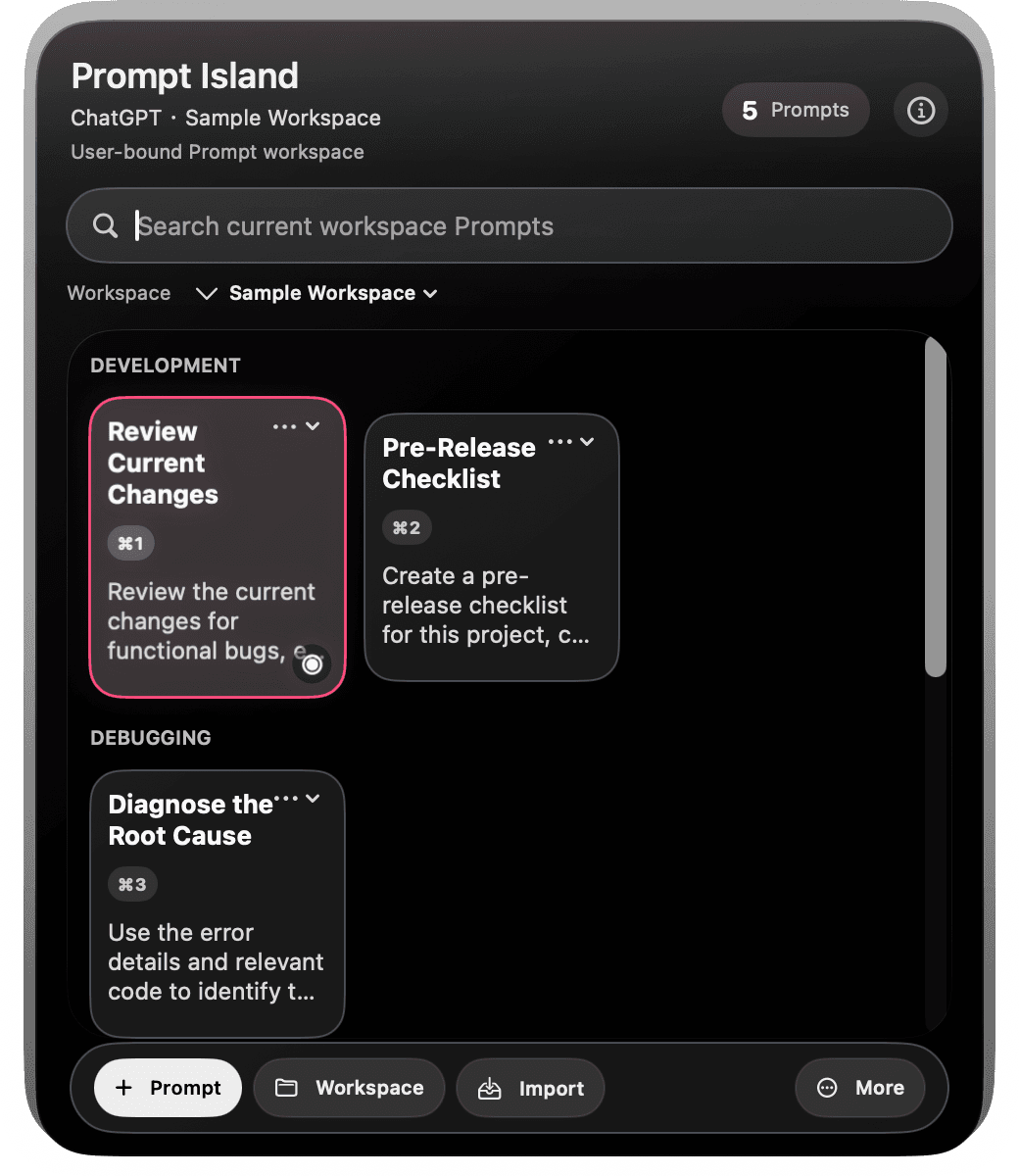
Shows the Prompt workspace you bound to the current app or Agent, without guessing your project folder.
Prompt Island is a macOS menu-bar prompt manager. Organize prompts into workspaces and bind them to Codex, Cursor, Terminal, or a browser; switch the frontmost app, call up the matching workspace, search, copy, and paste back into your current tool.
23 frontmost environments · Keyboard search and copy · Prompts stay local
Notes, READMEs, chat history, bookmarks. Finding and switching breaks the thought you were trying to keep.
/review current diffREADME: release checklistNotes: title hooksChat: retry promptYou decide the workspaces and bindings. Prompt Island shows the matching workspace for the current frontmost environment; browser detection identifies the app only, not pages, URLs, history, or chats.
Open your bound development workspace and copy review, test, or release-check prompts.
Open a debugging workspace and find prompts for reproducing, diagnosing, and fixing an issue.
Switch to a content workspace; browser detection identifies the app only, not pages, URLs, history, or chats.
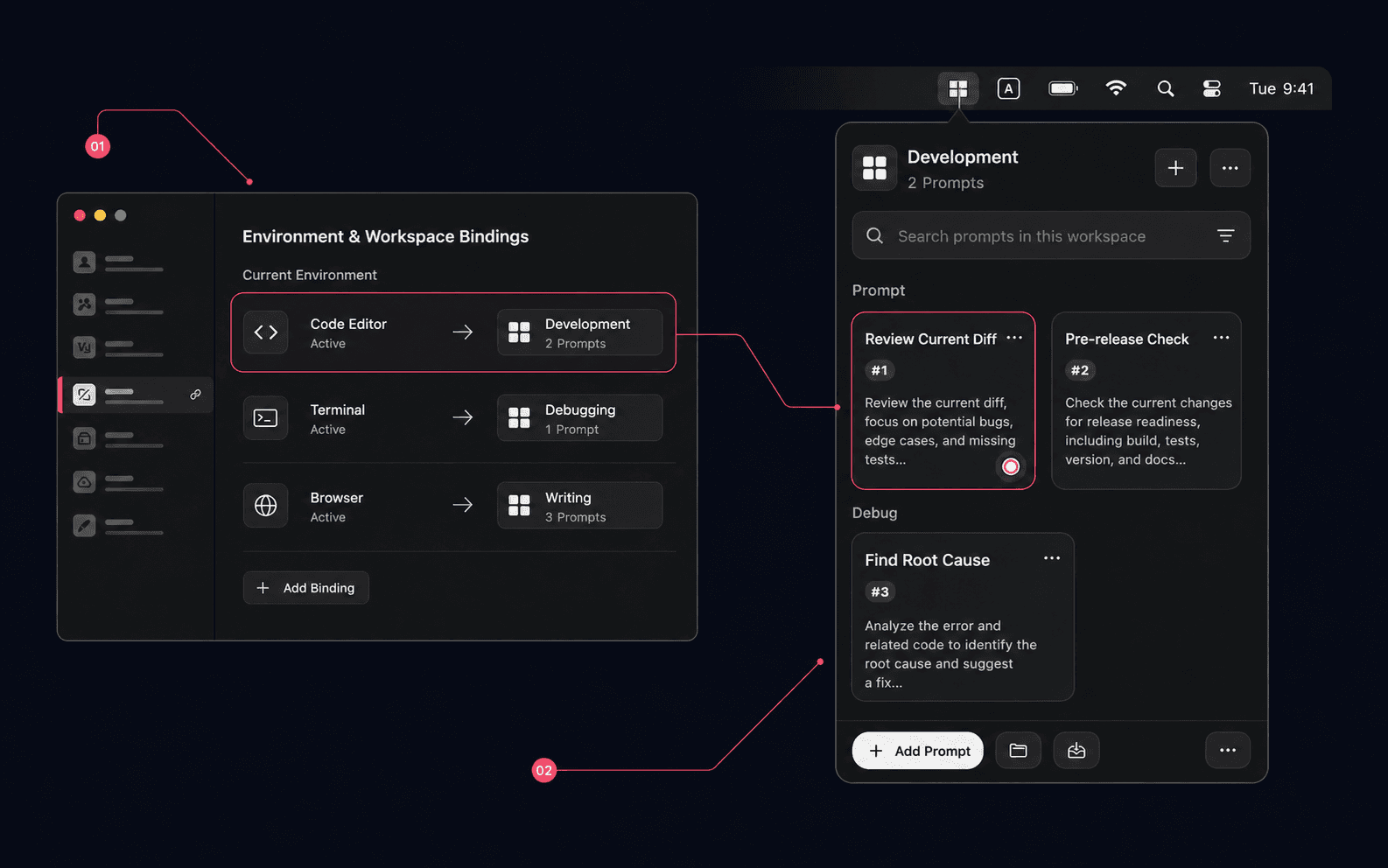
The real recording shows the full flow: detect the current environment, show the bound workspace, open the panel, choose, and copy a prompt.
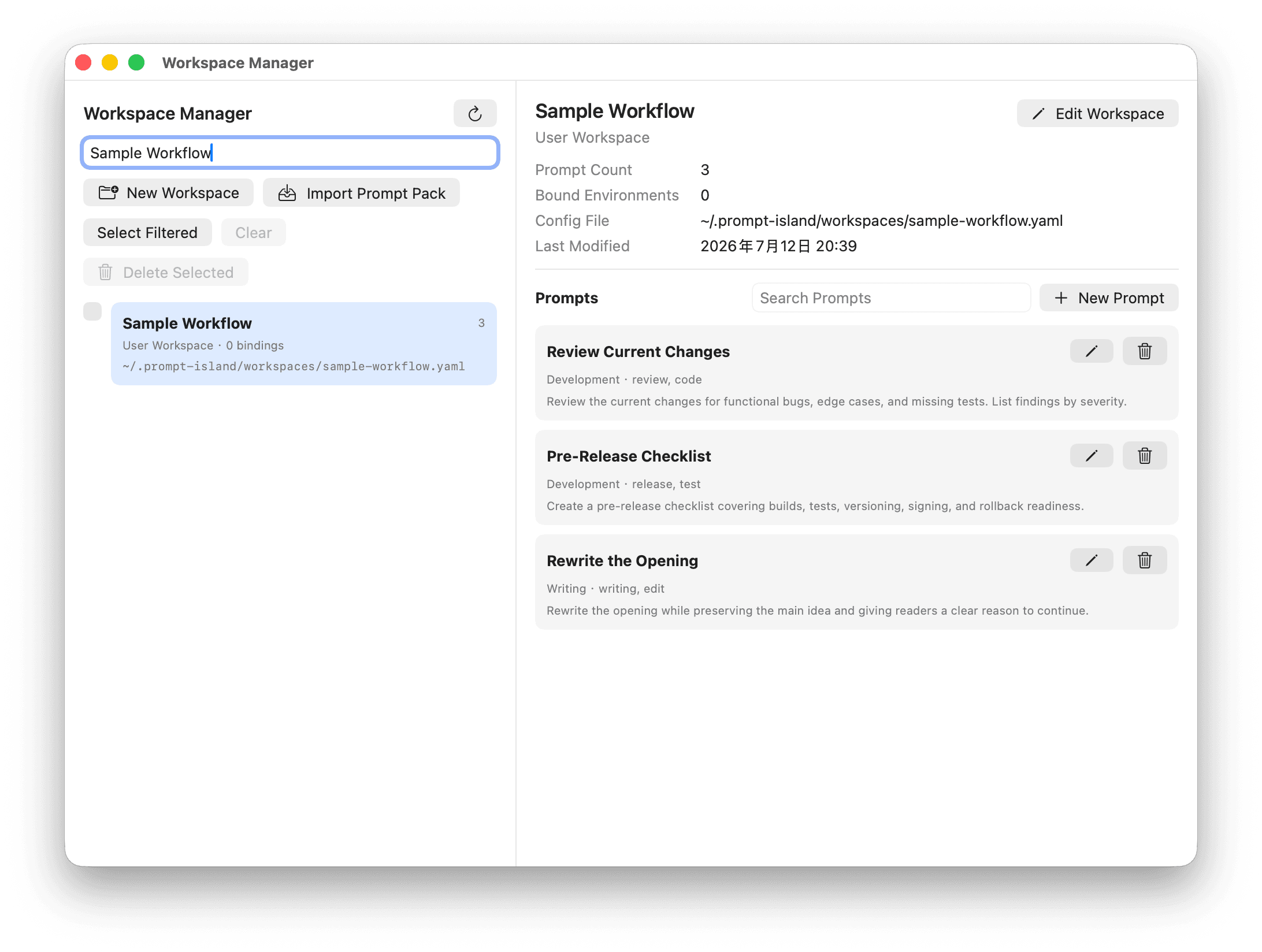
Export YAML, preview before import, then install locally. Import parses prompts; it does not execute content.
Product work runs locally. The authorization service receives only authorization metadata such as device public-key hash, timestamps, nonces, and one-time purchase keys.
Read Privacy Policy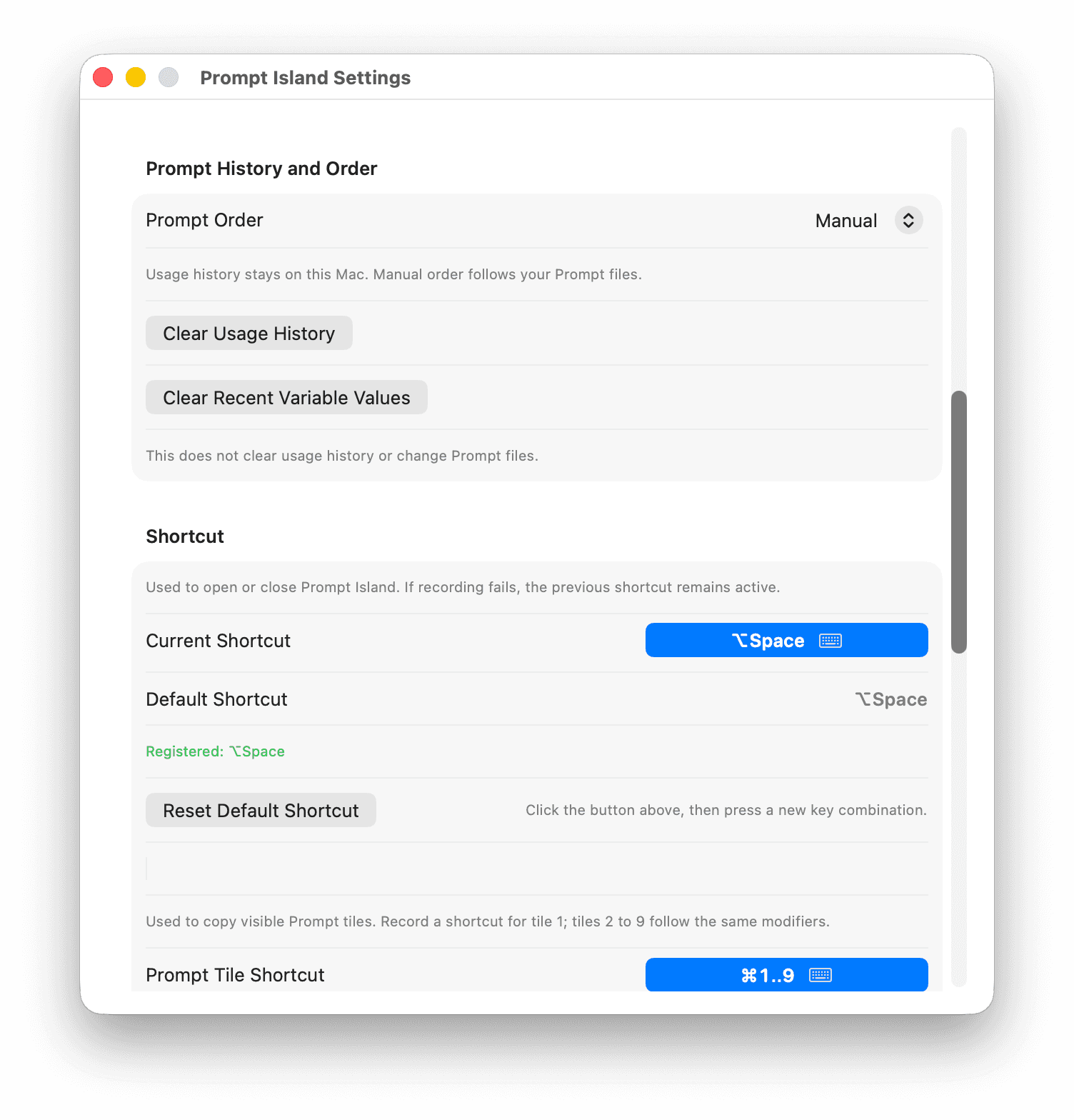
Shows the Prompt workspace you bound to the current app or Agent, without guessing your project folder.
Use a shortcut to open the panel, then search, choose, and copy without touching the mouse.
Export workflows as YAML, preview before import, and parse prompt data only.
Prompts, paths, search terms, and clipboard contents are not uploaded to authorization.
One-time · 2 Macs · No account
Agents, IDEs, and terminals: Antigravity, Antigravity IDE, ChatGPT, Claude Desktop, Cursor, Devin / Windsurf, Ghostty, Hermes, JetBrains, Kimi, Kiro, OpenCode, Terminal, Trae, VS Code, ZCode, Zed. Browsers: Arc, Brave, Chrome, Firefox, Microsoft Edge, Safari. Claude Code CLI and OpenCode CLI are recognized through the Terminal or Ghostty running them.